Creating Detailed Posters with an AI Image Generator
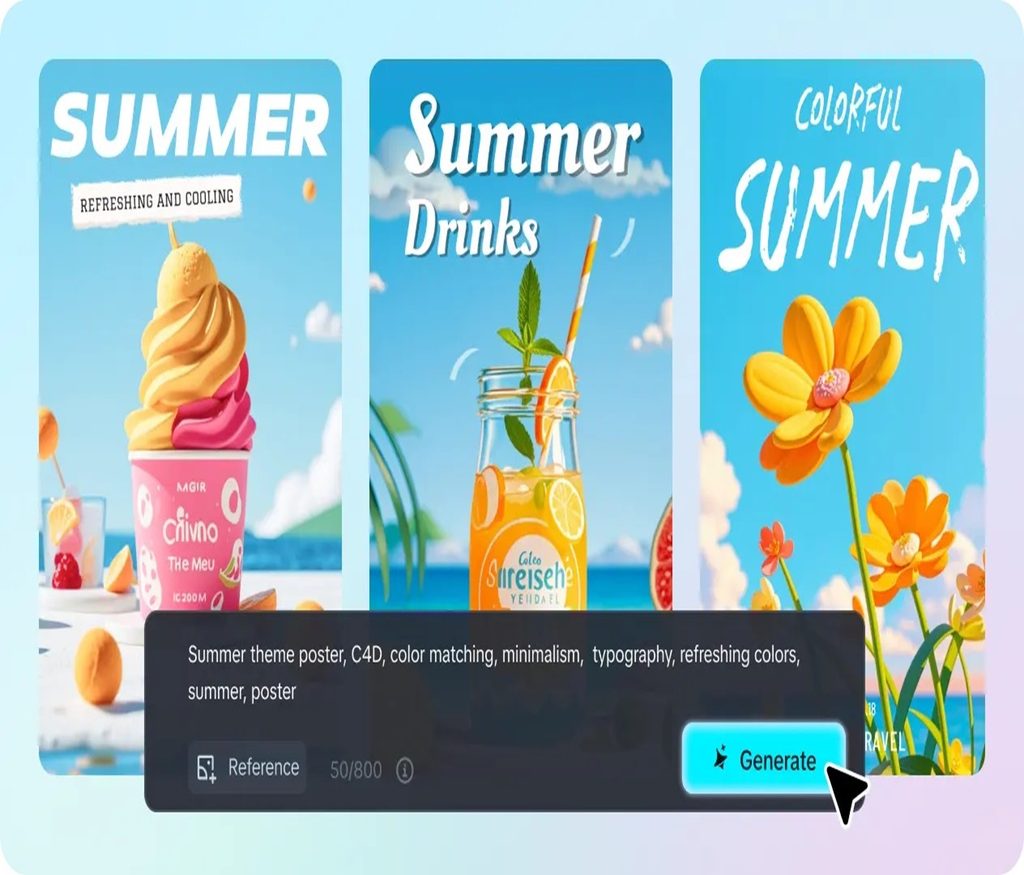
A great poster has to do a lot in one glance — grab attention, set a mood, and communicate information, all within a single frame someone might only look at for a few seconds. Designing one from scratch traditionally meant serious graphic design chops, stock photography licensing, and hours in layout software. An AI image generator changes that equation, letting you build a genuinely striking poster from a text description alone.
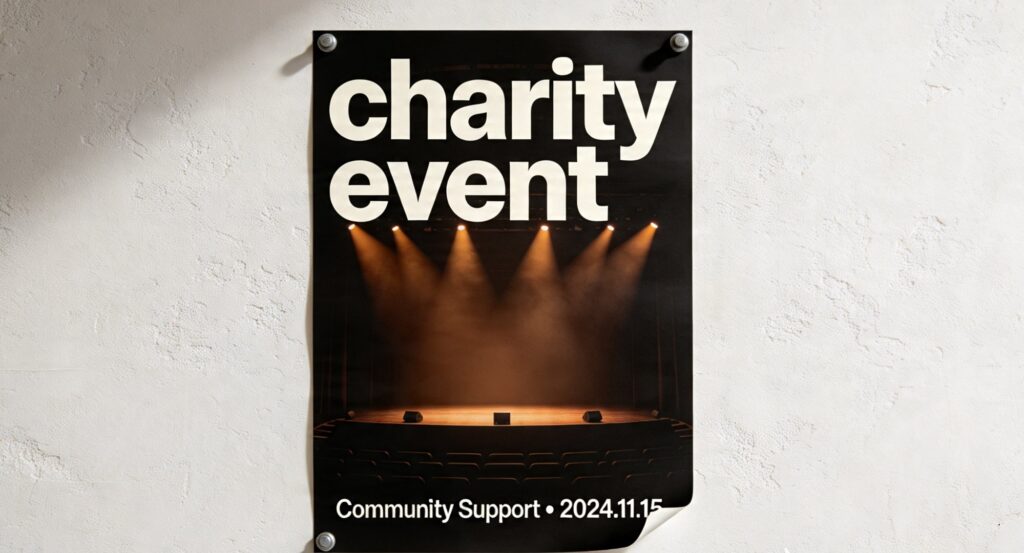
Dreamina, powered by its most advanced image generation model, Seedream 5.0 Pro, is particularly well-suited to poster work, thanks to its ability to handle both striking visuals and legible text within the same image. Whether it’s a concert poster, an event flyer, or a promotional piece, here’s how to build one that actually looks professional.
Why posters are a uniquely tricky design challenge
Unlike a standalone photo, a poster has to balance visual appeal with legibility and hierarchy — the eye needs to know where to look first, second, and third. Add text into the mix, and the difficulty compounds, since generated text has historically been one of the weaker spots for AI image tools. Getting a poster right means thinking about it less like a single image and more like a small layout project.
Establishing your poster’s visual hierarchy
Before writing a single prompt, it helps to decide what should draw the eye first. Most strong posters follow a rough order of visual importance:
A dominant central image or subject
A bold headline or title
Supporting details like dates, locations, or a tagline
Deciding this hierarchy upfront prevents your poster from feeling cluttered or directionless once text and imagery come together.
Your 3-step poster build with Dreamina
With your hierarchy mapped out, here’s the exact process for generating your poster.
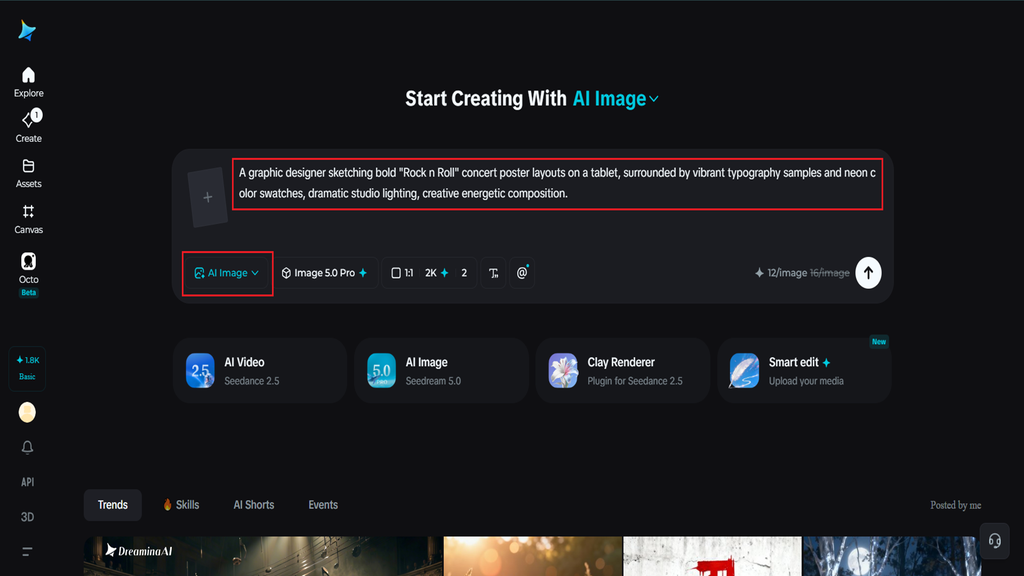
Step 1: Write a text prompt and/or add a reference image
Navigate to Dreamina and write a detailed text prompt describing a person dressed appropriately for the poster’s theme or event, along with the overall mood and style you’re going for. If you have a reference image or mood board capturing a similar poster aesthetic, upload it to guide the generation further.
For example: A graphic designer sketching bold “Rock n Roll” concert poster layouts on a tablet, surrounded by vibrant typography samples and neon color swatches, dramatic studio lighting, creative energetic composition.
Describing color palette, mood, and composition together helps the model understand the poster’s overall visual direction.
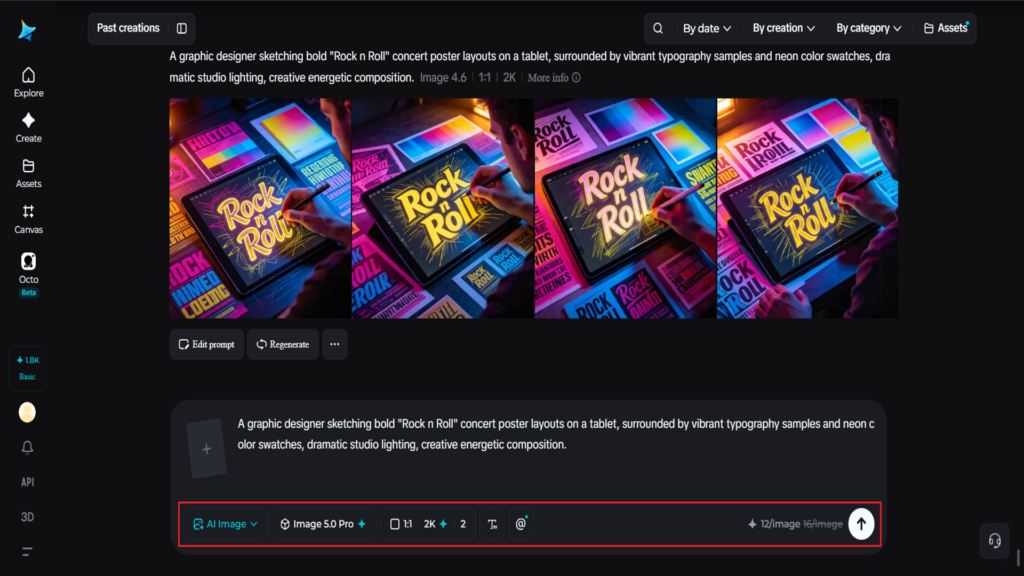
Step 2: Adjust parameters and generate
Before generating, adjust your settings for the poster format you need. Select Image 5.0 Pro, powered by Seedream 5.0 Pro, as your model, then choose your aspect ratio, image size, and resolution, using a taller portrait aspect ratio for a traditional poster format and 2K resolution to keep text and fine details sharp when printed or scaled up. Click Dreamina’s generate icon to produce your poster.
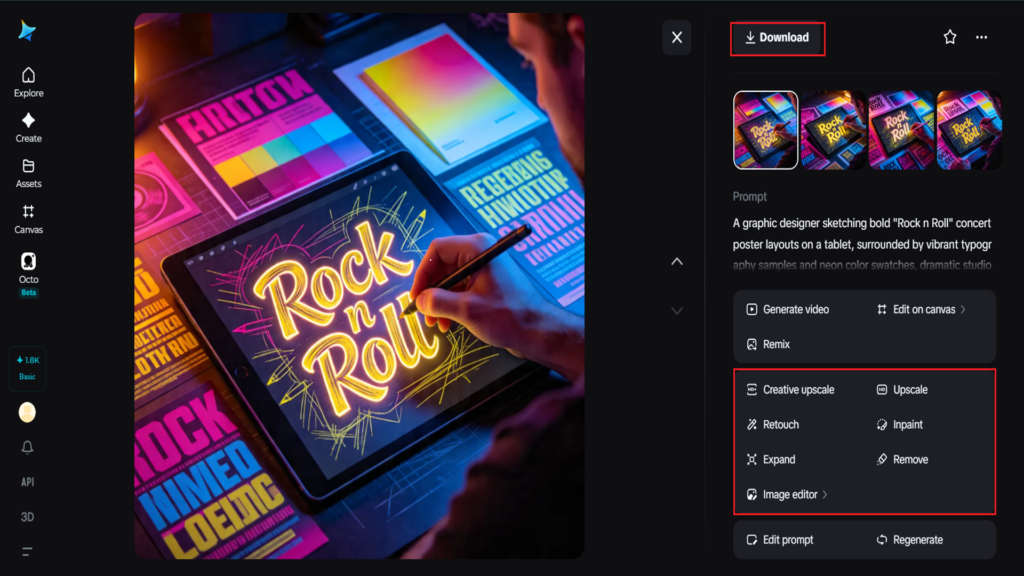
Step 3: Customize and download
Once your poster generates, refine it using Dreamina’s AI customization tools — inpaint to adjust specific text or design elements, expand to add more space for additional information, remove to clean up anything cluttered, and retouch to sharpen overall detail and contrast. When your layout feels balanced and legible, click the Download icon to save your finished poster.
Making text actually work within the design
Legible, well-placed text is often what separates an amateur-looking poster from a professional one. A few habits help:
Keep headline text short and bold enough to read at a glance
Leave breathing room around text rather than crowding it against imagery
Choose a color contrast between text and background that stays legible
Seedream 5.0 Pro’s native text generation across 14 languages makes this notably more reliable, rendering readable typography directly within the image rather than producing the garbled text that’s historically plagued AI-generated designs.
Why Seedream 5.0 Pro handles posters especially well
Poster design draws on several Seedream 5.0 Pro’s strengths at once. Its native text generation in 14 languages means headlines and details can be rendered directly and legibly rather than requiring separate manual typography work.
The multi-layer visual control is especially valuable here too, since it separates subjects, backgrounds, text, and effects into independent, editable components, letting you adjust a headline or swap a background without disturbing the rest of the layout.
Pinpoint precision editing, with point selection, lasso, sketch guidance, and regional controls, gives you the accuracy needed to fine-tune spacing or alignment. And the built-in online research helps keep event-related or trending visual references accurate and current when relevant.
Color choices that set the tone instantly
Color does a lot of emotional work in poster design before a viewer even reads the text. Bold, saturated colors and high contrast tend to suit energetic events like concerts or festivals, while muted, softer palettes fit more reflective or artistic themes. Naming a specific palette or mood — “moody jewel tones,” “bright pop-art colors” — in your prompt gives the model clear direction instead of defaulting to something generic.
Formats and sizing worth knowing
Different posters use calls for different specs, so it’s worth deciding this early:
Standard print posters typically favor a tall portrait orientation
Digital or social media posters may work better in a square or landscape format
High-resolution 2K output is worth prioritizing for anything meant to be printed large
Final thoughts
A poster that grabs attention and reads clearly doesn’t require a design degree anymore, just a clear sense of hierarchy and the right AI image generator to execute it. With Dreamina and its advanced Seedream 5.0 Pro model, legible typography, striking visuals, and cohesive layout all come together in a single generation.
Plan your hierarchy first, get specific about color and mood, and let Dreamina build the rest of the poster around it.